

Convert JPG to EXP for Embroidery Machines Easily
Introduction
You have the perfect design sitting on your computer. It is a simple JPG file, maybe a logo you downloaded or a sketch you scanned. Your embroidery machine sits in the corner, ready to go. But there is a gap between that picture and the stitches. Your machine does not see pixels. It sees instructions. It needs an EXP file. If you own a Melco, Bernina, or Bernette machine, EXP is the language they speak fluently. The trick is getting from point A to point B without losing your mind. Learning how to convert JPG to EXP for embroidery sounds technical, but once you understand a few basics, it becomes just another step in the creative process. Let me walk you through exactly how it works.
What Makes EXP Different From Other Embroidery Formats
Before we jump into the how, let us talk about the what. EXP files have been around for decades. Melco machines popularized them back in the day, and they remain a staple in the embroidery world today .
Unlike some home machine formats that store fancy preview images and thread brand data, EXP keeps things simple. It focuses on the stitch coordinates, color change points, and jump stitches. That simplicity makes it reliable. It works across many machines, not just Melco. Bernina and Bernette owners also use EXP regularly .
The catch? You cannot just rename a JPG to .EXP and call it a day. That would be like handing someone sheet music and expecting them to play it on a flute without telling them the notes. The JPG holds the visual idea. The EXP holds the stitch instructions. You need software that translates one into the other.
The Free Route: Ink/Stitch and Open Source Options
If you are working with a tight budget, free tools can absolutely get the job done. The most powerful free option is Ink/Stitch, which runs inside Inkscape .
Ink/Stitch is an open-source plugin that gives you real control over your digitizing. You import your JPG into Inkscape, trace it to create vector paths, and then apply stitch types to those paths. It supports EXP export directly .
The learning curve is real, I will not lie. You need to understand how paths work, how to assign satin stitches versus fills, and how to sequence colors. But the community around Ink/Stitch is fantastic. YouTube tutorials, forums, and detailed documentation exist for every step.
For simple designs with bold lines and few colors, Ink/Stitch produces results that rival paid software. For complex photographic images, you might struggle. But for most hobby projects, it works beautifully.
The Hybrid Approach: SewArt
SewArt sits in a nice middle ground between free and expensive. It costs around seventy-five dollars and offers a free trial so you can test it before buying .
What I like about SewArt is the wizard approach. You load your JPG, and the software walks you through reducing colors, cleaning up noise, and converting the image into stitch regions. From there, you can auto-digitize or manually adjust .
The output formats include EXP, along with PES, DST, JEF, and others . This makes it a versatile tool if you own multiple machines or plan to share designs with friends who use different brands.
SewArt works best for designs that start as clean clip art or simple logos. If your JPG has lots of shading or gradients, you will need to simplify it first, either in the software or using a separate image editor.
The Professional Standard: Wilcom and Hatch
When quality matters most and you digitize regularly, paid software like Wilcom Embroidery Studio or Hatch Embroidery is worth every penny .
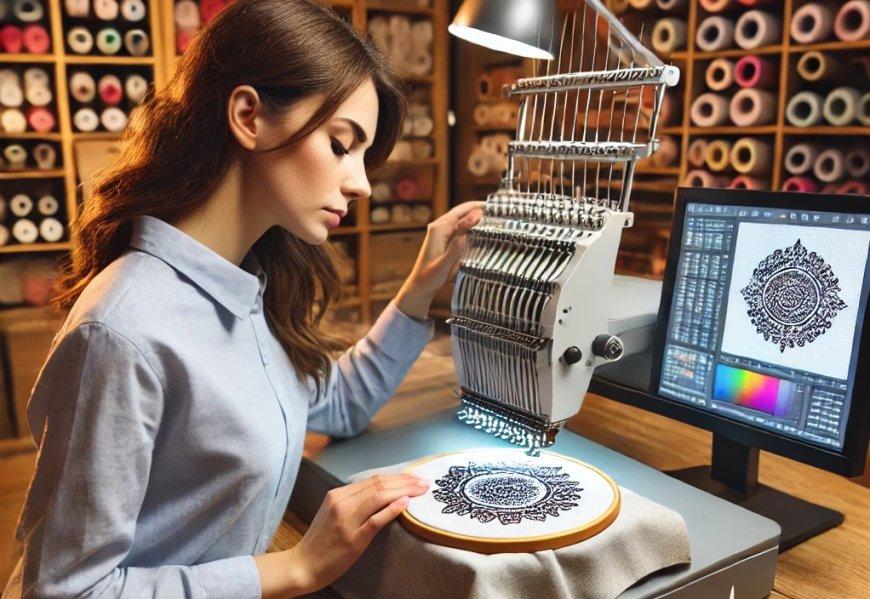
These programs handle the conversion process intelligently. They analyze your JPG, detect shapes, suggest stitch types, and apply proper underlay and pull compensation automatically. You still have manual control for fine-tuning, but the heavy lifting happens fast .
The difference shows in the hoop. Files created with professional software stitch out cleanly the first time. No puckering, no thread breaks, no misaligned colors. For small business owners or anyone selling embroidered items, that reliability saves money on wasted materials and frustrated customers.
Hatch, in particular, offers a user interface that does not overwhelm beginners. It guides you through the process while giving you access to advanced tools as you grow .
The Online Converter Gamble
You will find websites that claim to convert JPG to EXP instantly for free. They look tempting. You upload, click a button, and download a file seconds later.
Here is the honest truth. These tools work for the simplest possible designs, think solid shapes with one or two colors . For anything with detail, they produce garbage .
The problem is that online converters treat embroidery files like image files. They do not understand stitch angles, density, underlay, or pull compensation. They just map pixels to stitches in the most basic way possible, and the result looks awful on fabric .
Some of these sites also have privacy concerns. You upload your logo or design to a server you do not control. If that design is proprietary or part of a paid client project, you are taking a risk .
I am not saying never use them. For a quick test or a throwaway project, they might suffice. But for anything you care about, invest in proper software.
What Happens During Conversion
Let me demystify the actual process so you understand what the software does.
When you load a JPG, the software first analyzes the image. It looks for distinct color areas and sharp edges. It reduces the color palette to a manageable number, usually under ten, because each color becomes a thread change.
Next, it converts those color areas into vector shapes. Vectors are mathematical outlines that scale cleanly, unlike pixels that get blocky when enlarged.
Then comes the stitching part. The software decides which areas need satin stitches, smooth and shiny, and which need tatami fills, textured coverage. It sets stitch angles, usually following the natural direction of the shape. It adds underlay stitches to stabilize the fabric .
Finally, it sequences everything. The machine needs to stitch in a logical order, usually small details first, then larger fills, then outlines. Good software handles this automatically.
The result is an EXP file containing all those decisions. The machine reads it and stitches exactly what the software designed.
Tips for Better JPG to EXP Results
Your source image matters more than the software you use. Start with a clean, high-contrast JPG. Avoid photos with complex backgrounds or subtle shading. If your design has text, make sure it is large enough to stitch legibly, usually at least a quarter inch tall.
Simplify colors before you import. If your JPG has twenty shades of blue, reduce it to two or three in an image editor first. The software will thank you, and your thread changes will make more sense.
Test on scrap fabric. Always. What looks perfect on screen sometimes behaves differently on real fabric. Stitch a sample, note any issues, adjust the file, and test again. This feedback loop separates good embroiderers from frustrated ones .
When to Hire a Professional
Here is a scenario where paying someone else makes sense. You have a complex logo with small text, gradients, and fine details. Your client needs fifty embroidered polo shirts by Friday. You do not own digitizing software and have never done it before.
In that case, hire a professional digitizing service . They charge anywhere from ten to fifty dollars depending on complexity. They deliver a perfectly optimized EXP file ready for your machine. You load it and stitch.
The cost beats buying expensive software you will rarely use. It also beats wasting hours trying to learn on the job while a deadline looms. Professional digitizers understand fabric behavior, stitch limits, and machine capabilities. They get it right the first time .
File Management and Storage
Once you have your EXP files, keep them organized. Create folders by project or date. Back them up to cloud storage or an external drive. Losing a design you spent hours creating hurts.
Also keep your original JPGs and any working files from your software. If you ever need to edit the design later, having the source makes it easier. The EXP file alone is harder to modify because it contains only stitch data, not the original shape information.
The Bottom Line
Converting JPG to EXP for embroidery machines is absolutely doable, whether you choose free software, paid tools, or professional services. The path you take depends on your goals, your budget, and your patience for learning.
For hobbyists stitching occasional projects, Ink/Stitch or SewArt provide everything you need. For small business owners producing regular work, Hatch or Wilcom pay for themselves in time saved. For one-off complex jobs, hiring a digitizer is the smart move.
The embroidery world can feel overwhelming with all its formats and software options. But remember, every expert started exactly where you are now. Pick a tool, start simple, and stitch something.