 Written by
Trying to watch a program on your IPTV application while connected to a school, office, or hospital network can sometimes result in buffering, connection errors, or complete access restrictions. Even if the same application works perfectly at home, it may not function on an institutional network.
This usually happens because schools, businesses, and healthcare facilities manage internet access differently from residential networks. Their security policies, bandwidth limits, and network filters may restrict certain streaming services to protect users and keep essential systems running. Whether you use IPTV India services or an Indian IPTV Box, understanding these restrictions can help you choose an appropriate solution without violating network rules.
Table of Contents
Why Do Institutional Networks Block IPTV?
Common Reasons IPTV Stops Working
How to Identify a Network Restriction
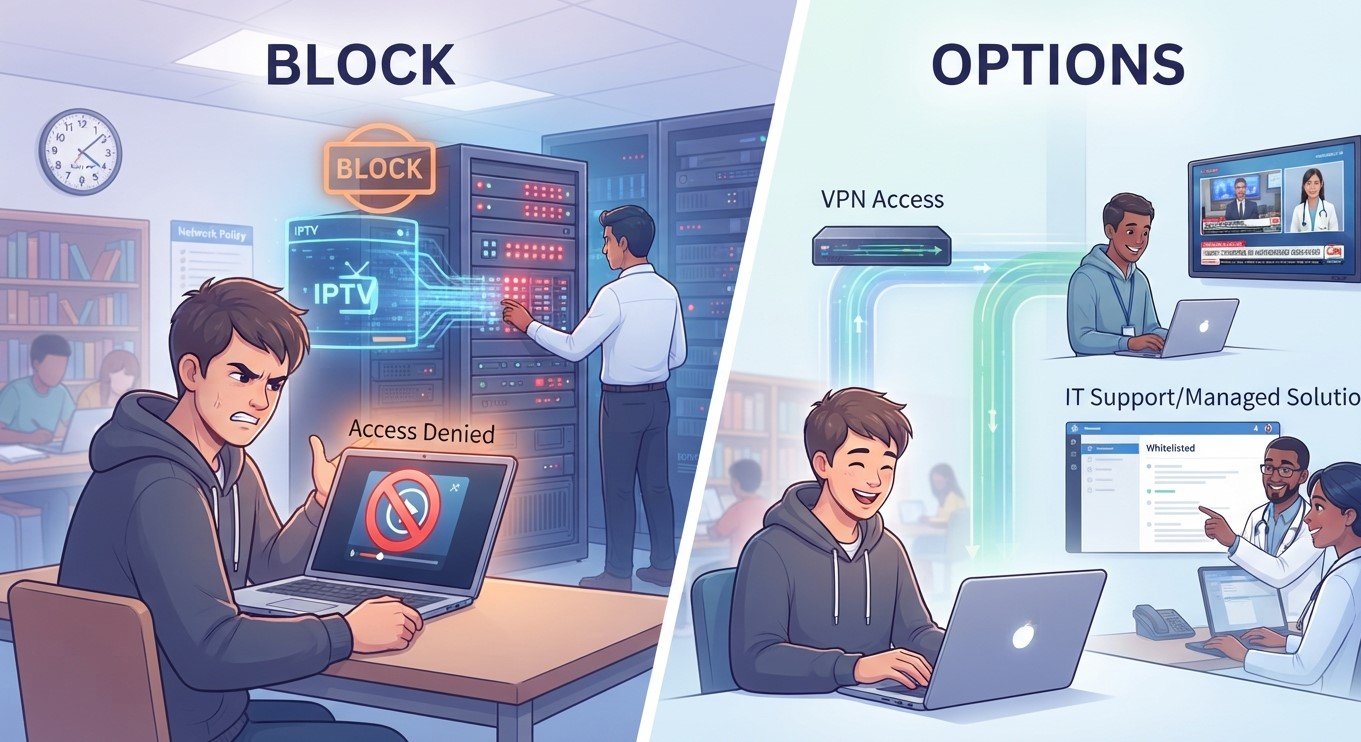
What Are Your Options?
What Should You Avoid?
Frequently Asked Questions
1. Why Do Institutional Networks Block IPTV?
Institutional networks are designed primarily for education, business operations, patient care, and communication—not unrestricted entertainment streaming.
Network administrators may use firewalls, content filters, and traffic-management systems to control which websites, applications, and services can access the internet.
These restrictions help organizations:
Protect confidential information and sensitive records.
Reduce exposure to malicious websites and applications.
Prevent excessive bandwidth consumption.
Maintain reliable access to essential online services.
Follow internal policies and legal requirements.
As a result, streaming applications may be restricted even when they are legitimate and safe to use.
2. Common Reasons IPTV Stops Working
Several technical and administrative factors can prevent IPTV services from working on institutional networks.
Content Filtering and Firewalls
Schools, offices, and hospitals often block categories of websites or applications. If a streaming service falls under a restricted category, its website or associated services may become inaccessible.
Bandwidth Management
Live television and high-resolution video consume significant internet bandwidth. Administrators may limit streaming to prevent entertainment traffic from affecting online classes, video conferences, business applications, or medical systems.
Restricted Network Ports and Protocols
Some streaming applications depend on particular network connections or communication protocols. Institutional firewalls may block these connections as part of their standard security policies.
Shared Network Restrictions
Public and institutional Wi-Fi networks sometimes use access controls, device registration, or authentication systems. An unfamiliar streaming box or smart TV may not be authorized to connect.
Security Policies
Hospitals and other sensitive environments may apply particularly strict restrictions to protect patient information and critical equipment. Entertainment streaming may be prohibited on both staff and guest networks.
3. How to Identify a Network Restriction
Before changing settings, determine whether the issue is caused by the network or your device.
Try these checks:
Test another connection: If IPTV works on your home network or personal mobile connection but not institutional Wi-Fi, network restrictions may be responsible.
Check other applications: Determine whether general internet access works normally.
Look for error messages: Firewall notices, access-denied messages, and connection timeouts can provide useful clues.
Ask the network administrator: Confirm whether streaming applications are restricted by policy.
Check your device: Make sure the application, subscription, and internet connection are functioning correctly.
These checks help prevent unnecessary changes to your equipment.
4. What Are Your Options?
If IPTV is blocked, consider these practical and responsible alternatives.
Ask for Permission
Contact the school’s IT department, office administrator, or hospital network team. If streaming is needed for an approved educational, professional, or personal purpose, ask whether an authorized exception is available.
Use an Approved Guest Network
Some institutions provide separate guest Wi-Fi with different access policies. Ask whether streaming is permitted on that network before connecting your device.
Use Your Personal Internet Connection
If institutional policy permits personal internet access, you may be able to use your own mobile data connection. Check your data allowance, signal strength, and any applicable usage restrictions.
Watch at Home
For personal entertainment, using your home broadband connection is often the simplest option. It avoids institutional restrictions and gives you greater control over your streaming environment.
Choose Approved Alternatives
Schools, offices, and hospitals may provide approved video platforms or entertainment services. Check which options are permitted for your location and purpose.
5. What Should You Avoid?
Do not attempt to bypass institutional firewalls, install unauthorized VPNs, change managed network settings, or connect unapproved equipment without permission.
These actions may violate organizational policies, expose sensitive information, or interfere with essential network operations.
This is particularly important in hospitals, where network security can directly affect patient safety and healthcare services.
6. Frequently Asked Questions
Why does IPTV work at home but not at school?
Home networks generally allow more personal streaming activity, while schools use content filters and bandwidth controls that may restrict entertainment services.
Can a school or office block streaming applications?
Yes. Network administrators can restrict websites, applications, and certain types of network traffic through firewalls and filtering systems.
Does a blocked IPTV connection mean my subscription is faulty?
Not necessarily. If the service works on another authorized network, the restriction may be related to the institutional connection.
Can I use mobile data instead?
Possibly, if personal mobile internet use is permitted. Check local policies, signal quality, and your data allowance.
Should I contact my IPTV provider about network restrictions?
You can ask the provider to help verify that your subscription and device are functioning correctly. However, institutional access restrictions must be addressed by the network administrator.
Conclusion and Call to Action
IPTV restrictions on school, office, and hospital networks are usually related to security policies, bandwidth management, or administrative controls. Rather than attempting to bypass these protections, identify the cause and choose an approved connection or viewing option.
For more useful information about streaming technology, device compatibility, and troubleshooting, explore IPTV India and learn more about selecting and maintaining an Indian IPTV Box. Understanding your network and device requirements can help you enjoy a smoother and more reliable viewing experience.